Connect your channel
Sign in to Auto Post Scheduler with an email code, then connect your YouTube channel through Google.
 Auto Post SchedulerVideo scheduler
Plan your YouTube uploads and track their status. Get started in your browser.
Free on iPhone, Android and the web.Join the Google Play test
Android 7.0+ · v1.2.0 (15) · 117.8 MB

Scheduled
Breakfast pancakes
One Minute Kitchen · YouTube
Monday · 09:30
Sign in to Auto Post Scheduler with an email code, then connect your YouTube channel through Google.
Choose a file, add a title and description, set visibility and pick a publishing time.
See what is scheduled, what has published and which videos need attention. Reschedule from the video details.
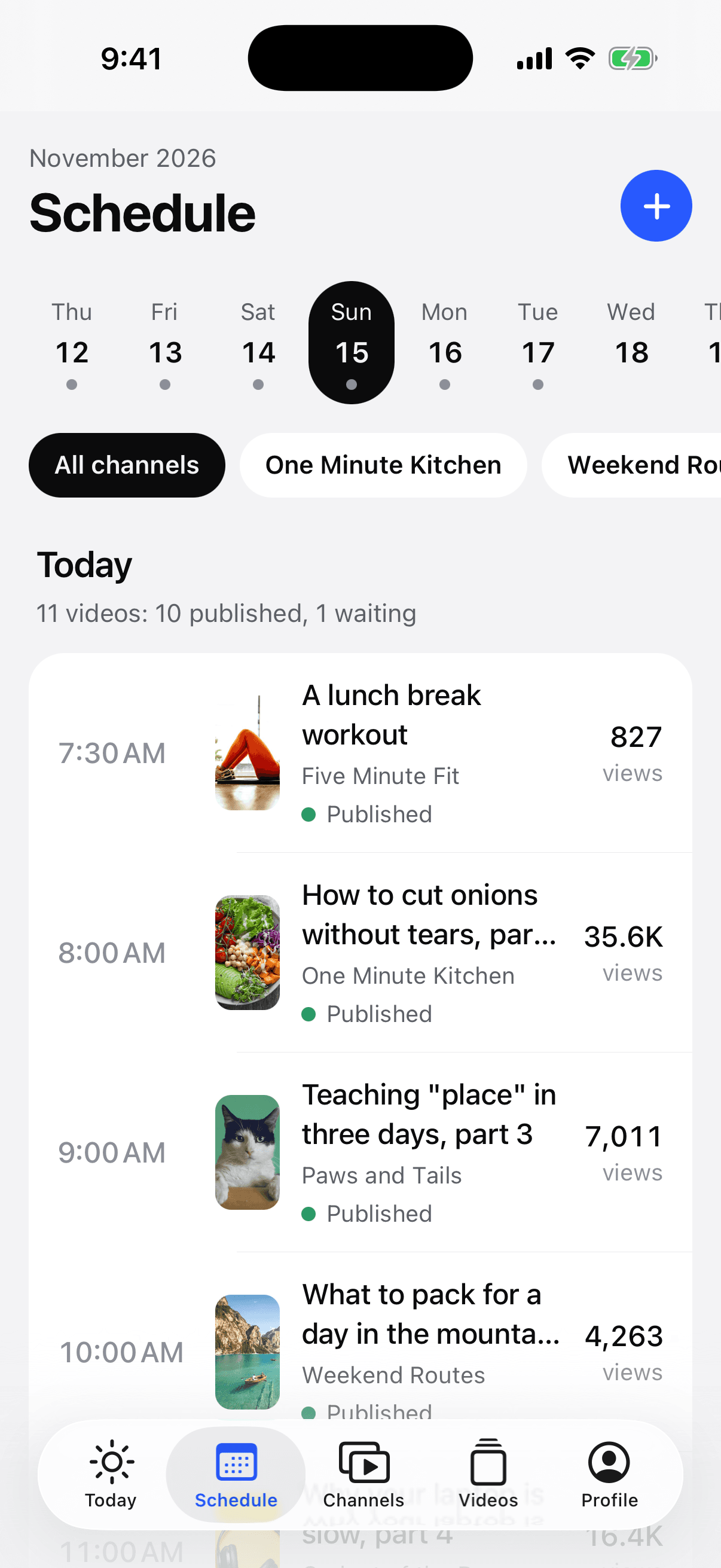
Set publishing slots and spacing for each channel. Move a video when your plans change, or pause the channel.
You choose the channel and video visibility before confirming a publication. You can disconnect your channel and request account deletion.
The first public version supports YouTube. The screenshots use fictional channels to demonstrate the app.
On Xiaomi phones, install the app from GetApps where available. On iPhone, use the App Store. You can also use the studio in your browser. You can download the signed Android APK here. The current App Store listing is called Auto Post Scheduler and lists Nikita Britikov as the seller.
Auto Post Scheduler identifies the channel you authorize and uploads the videos you choose to publish. Google asks for consent during connection.